Skills: teach Researchly how you work
Some instructions you give Researchly once. Others you find yourself giving over and over: format funding tables this way, check these sources first, always end with what is still unknown. Skills turn those repeated instructions into something Researchly remembers and applies on its own.
A skill is a short Markdown file. Its name and a one-line description say when it applies, and the body says what to do. Researchly uses the same SKILL.md format that coding agents use, so a skill written for one place works in the other.
Find a skill on skills.sh
You do not have to start from a blank page. The search box in the Library searches your chats, Research Drafts, and skills, and it also searches skills.sh, the open directory of agent skills. Each result shows where the skill comes from and how many people have installed it. Click the plus button and the skill is yours.
Imported skills stay up to date on their own. Once a day, Researchly checks each one against its source and pulls in any change. The skill's row says "From skills.sh, updates automatically" so you always know which skills track their source. If you edit an imported skill yourself, automatic updates stop for that skill, so your edits are never overwritten. You can switch them back on from the row's menu.
Edit skills in place
Every skill opens in the Library with its full text. Click Edit and the skill becomes a document you can change directly, with headings, lists, bold text, and tables. Details shows the skill's front matter, where its name and description live.
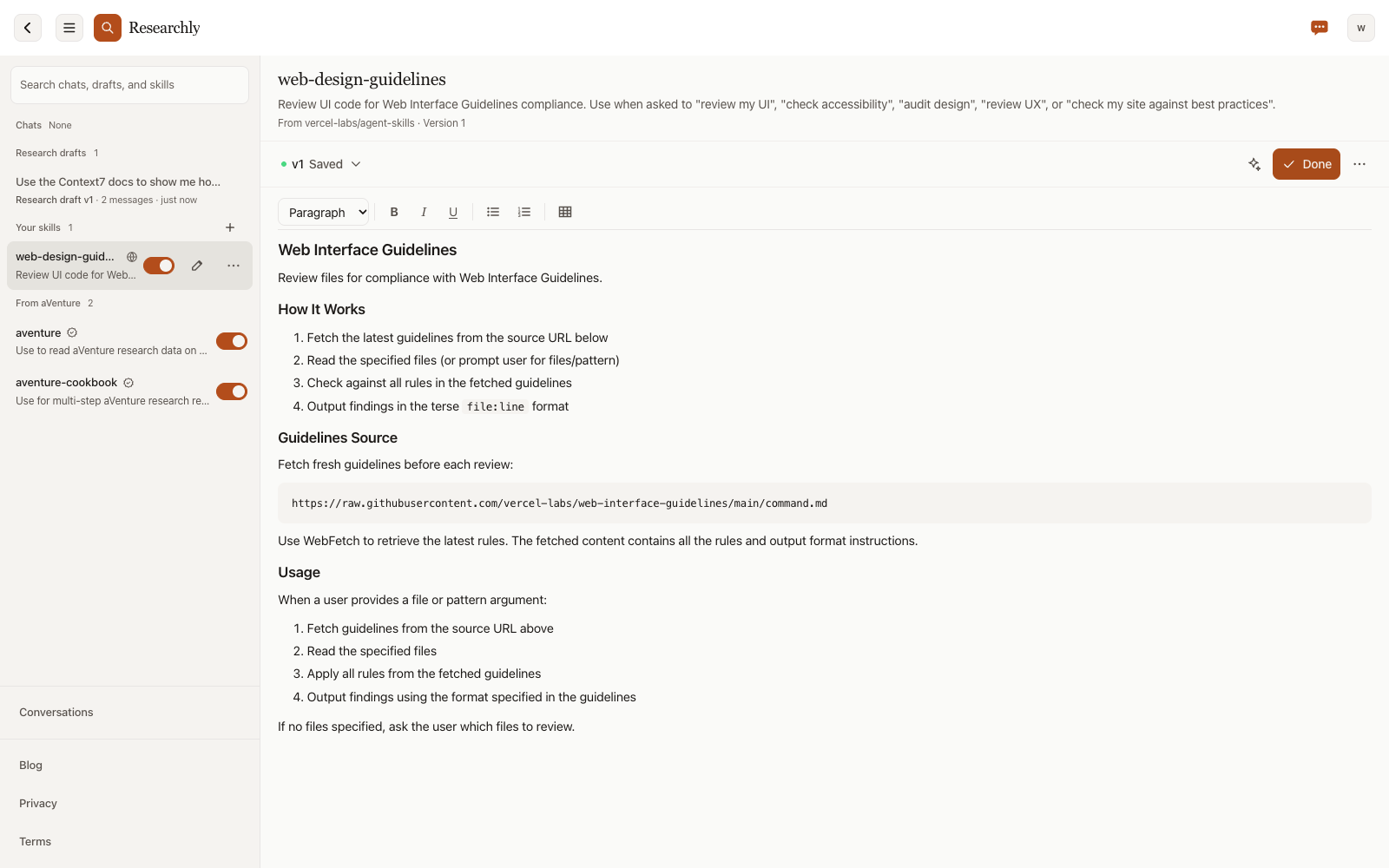
Every save creates a new version. The version menu shows each earlier one, and Restore this version brings any of them back. If you would rather describe a change than make it, Ask AI revises the skill from a plain-language request.
Or let the agent write it
You can also ask for a skill in a normal conversation. Describe what you want, and the research agent writes the skill, saves it, and turns it on.
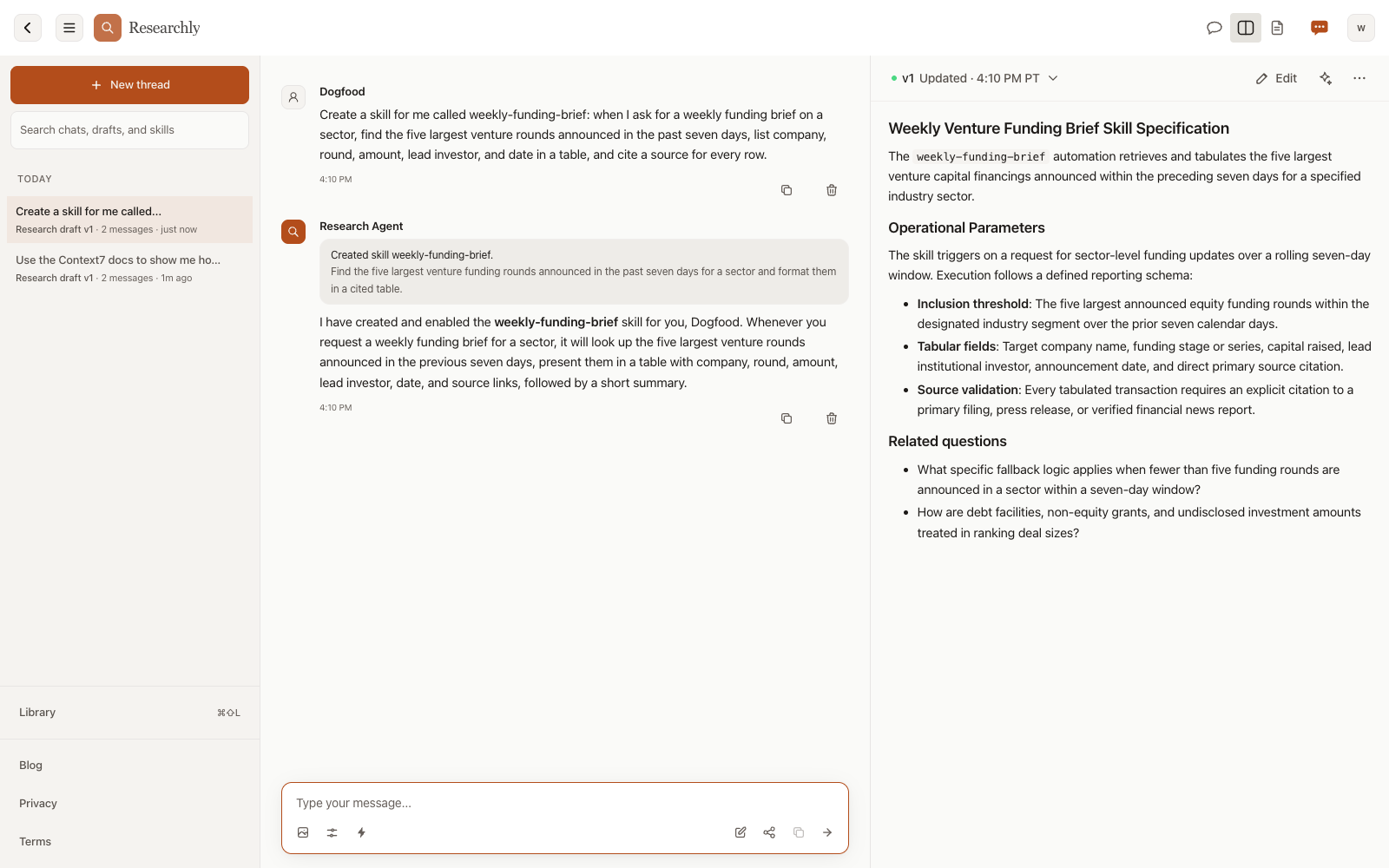
The agent can update your skills the same way. Before it edits one, it reads the current version, and the edit is refused if the skill changed since that read. So it never writes over a change you just made. It cannot remove a skill on its own. When you ask it to, it shows a "Remove" card, and nothing is deleted until you confirm.
Mix the two however you like. Have the agent draft a skill, tighten the wording yourself in the editor, then ask the agent to adapt it for a new case. A Research Draft can become a skill too: choose Save as skill from the draft's More menu.
How skills get used
Every skill you have turned on is available in every chat. When a question matches a skill's description, the research agent loads that skill and follows it. To use a skill explicitly, start your message with /skill: and its name.
Researchly also includes built-in skills from aVenture for private-company research. They appear under "From aVenture" in the Library, each with its own switch. If you write a skill with the same name as a built-in one, yours takes its place.
Skills are available to anyone signed in to Researchly, on every plan. Open the Library and search for the work you keep explaining.

