Seeing every version of your Research Draft
Two things about your research chats change with this release. The Research Draft, the document we write for you alongside a conversation, now keeps every version it has ever produced, so nothing it once said is lost. And the record of searches and page reads inside a chat has been tidied up, so a busy turn of research no longer sprawls down the screen or pops back open after you have scrolled past it.
The draft now keeps every version
The Research Draft updates itself after each completed round of conversation, carrying what was learned into a document with its own title that sits in a pane next to the chat. The switcher in the header still offers chat, split, and draft layouts, with split on desktop and the draft taking the whole screen on a phone.
What is new is what happens underneath. Every update is saved as a new version, and earlier versions are never overwritten or deleted. A History control above the draft opens the list, where each entry reads like "Version 4 (current) · date and time," and long histories offer a "Load older versions" control. A status line beside History shows a spinner while the draft is updating, then a timestamp such as "Updated · 9:02 PM PT" once a version exists.
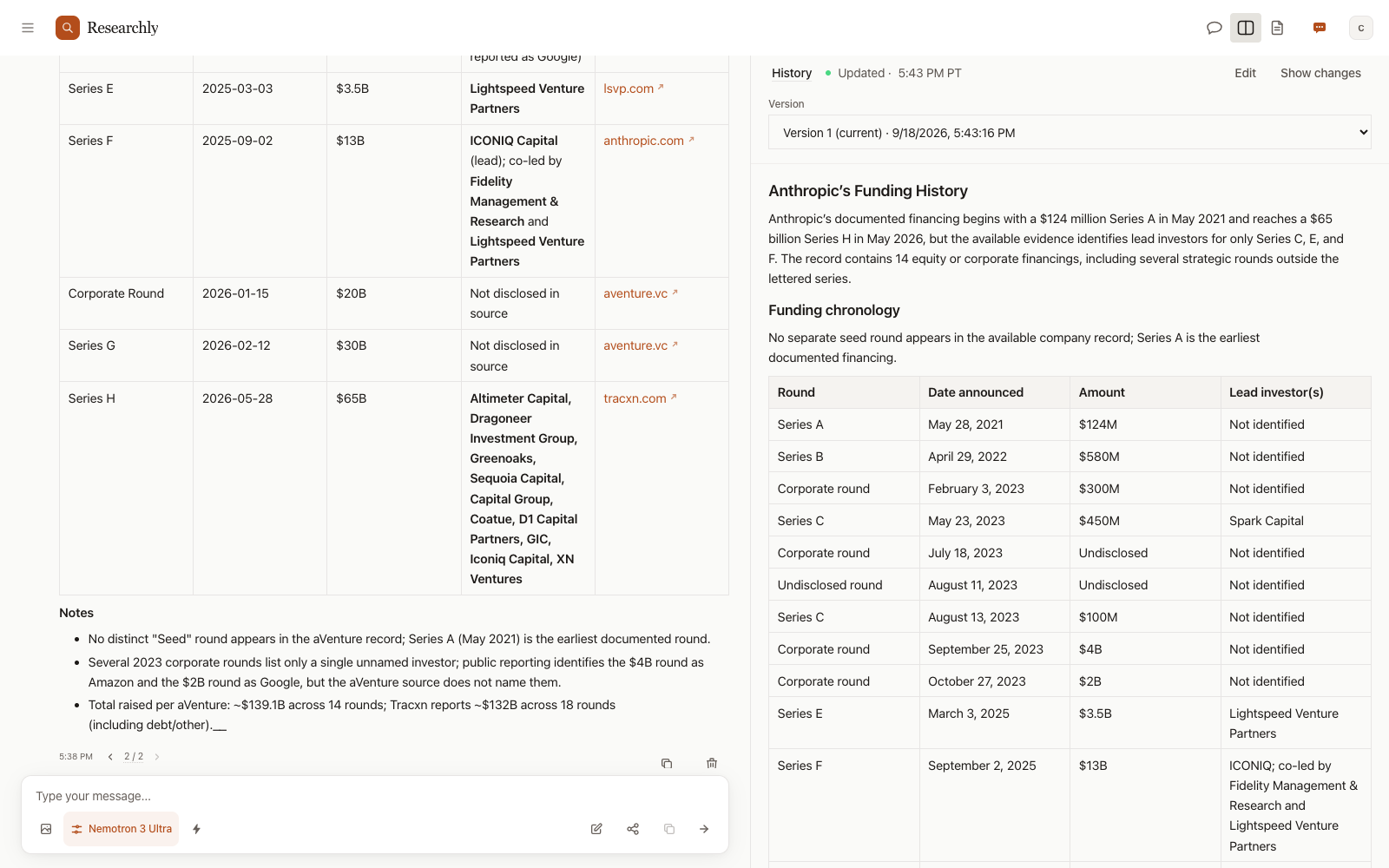
Show changes, down to the word
A "Show changes" toggle now highlights exactly which words moved between the current version and the one before it. Inserted words are marked, removed words appear struck through in place, and the formatting around them, links, emphasis, and lists, stays intact. Before this, a whole block was flagged when any word in it changed, and the comparison sat behind a hover popover showing two near-identical columns.
Here is what that looks like in practice. Say you spend a few rounds researching a company, and the draft settles on a revenue figure. A round later you could swear the number used to be different. Flip Show changes and there it is: the old figure struck through, the new one inserted in the same sentence, nothing else disturbed. If the earlier reading was the one you trusted, open History and pick that version. It shows read-only, and restoring it asks you to confirm first. The restore then lands as a new version on top of the history, marked "restored," so nothing is removed and you can always go back again.
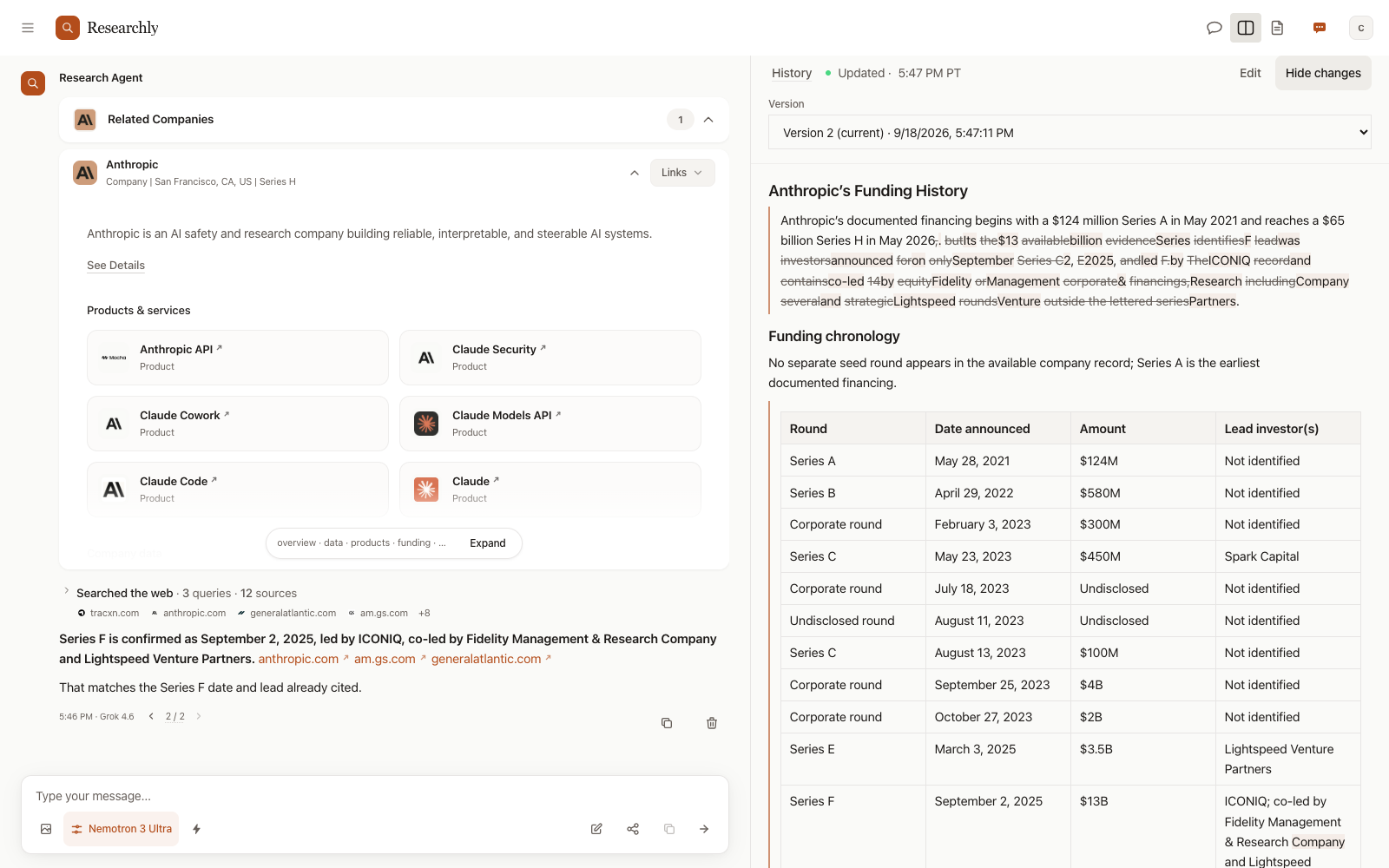
A draft that stays readable while it moves
When a new round revises the draft, the revision is layered onto the existing text section by section. A readable draft is never replaced by a blank pane or a half-written prefix while the update streams in. You can also take over at any point. The draft is editable rich text with a formatting toolbar, headings, tables, and a block-type picker included, and manual edits save automatically on a short delay. If you would rather ask, an assisted edit does the work for you. Either way, edits become versions too. And when a chat is shared as a read-only link, the draft travels with it.
A tidier record of the searching
Between two answers, everything the assistant does now sits under one work block: a single progress header for its working notes and a single search section for its searches and page reads, replacing the four alternating "Working" and "Searched the web" sections one turn could produce. All the web searches from a turn are collected into one block that collapses, once searching finishes, to a one-line summary like "Searched the web · 6 sources." It stays collapsed. If a later search runs in the same turn, it appears as a new row below the summary instead of reopening history you already scrolled past.
Each fetched page gets a row whose title links to the page, with the hostname alongside as plain context, and while the page body is being read the row reads "Reading…". A search row or a page row can also carry a short reason: why that search ran, why that page was read. On phones and tablets the whole header row and the whole page row are tappable now. Before, only a tiny chevron was.
Corrections behave better too. When an answer is corrected during a turn, the correction arrives in order, and the earlier pass is kept in a collapsed disclosure beside the settled answer rather than being dropped. Provisional answers appear as they are written instead of waiting for a quality check to finish. The same search display is used in both Researchly and Ensemble, the shared multi-model room product.

