Reading PDFs in your research
You can now attach PDFs to a Researchly chat and ask about them. Drop in an annual report, a regulatory filing, a pitch deck, or a paper, and ask your question the way you would ask about anything else. The answer comes from the whole document, with the page number beside every fact.
Every page, not just its text
Many PDFs hide part of their content from ordinary text extraction. Checkboxes on a form are often drawn as small images. Scanned pages have no text at all. Tables lose their columns. So Researchly does not rely on the text layer alone. When you attach a PDF, each page is rendered as an image and read by a vision model, with the page's text layer alongside as a hint. On an 83-page SEC Form ADV, a filing whose answers are almost all checkboxes, this read 1,410 of 1,410 checkboxes correctly.
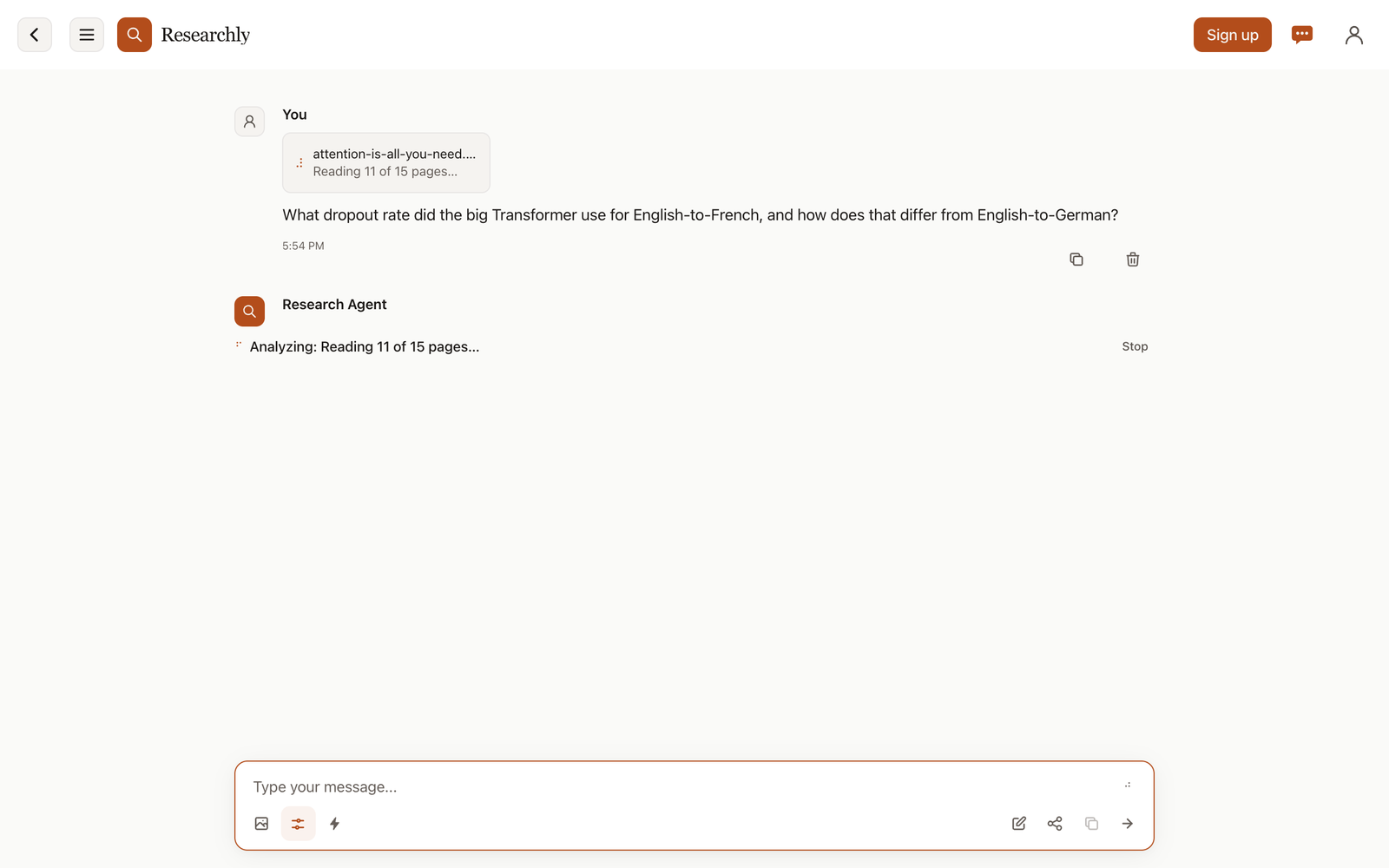
Reading starts the moment you attach the file. If you send before it finishes, the chat shows progress as it goes, "Reading 12 of 40 pages…", and the answer starts as soon as the pages are in. A PDF can be up to 20 MB and 200 pages.
The whole document in one read
The usual way to handle a long document is to cut it into chunks and hand the model the few that look most relevant. That works until the answer is spread across the document, or sits in a chunk that did not look relevant. Researchly skips the chunking. Each turn in a chat with a PDF runs a dedicated document reader that sees the entire parsed document at once, using the full context window of its model rather than the smaller budget the chat itself keeps for conversation history. Your question goes to it word for word.
The document is placed at the start of the reader's input in exactly the same form every turn, which lets the model provider cache it, so later questions about the same PDF can reuse that work instead of starting over.
Long answers stay long
Ask for "every fund in this filing with its assets and auditor" and you want every fund, not the first ten. When the document fully answers your question, the reader's answer streams straight into the chat as the turn's answer. It is never summarized again by a second model with a shorter output limit, which is where long lists usually get cut. The reader is told to include every matching item, to keep counts equal to the items it lists, and to quote names, numbers, and dates exactly as the document prints them. Every fact carries its page, as (p. 14), or the file name and page when you attach more than one PDF.
When the PDF is only part of the answer
Some questions reach past the document: "How does the revenue in this report compare with what the company announced last week?" The reader says when the document covers only part of the question. Its findings, with their page citations, then go to the research agent, which searches the web for the rest and writes one answer from both. When the PDF has nothing to do with your question, the turn runs as normal research, and your Research Draft keeps updating as usual.
PDFs Researchly finds on its own
Not every PDF arrives as an attachment. Paste a link to a filing or a paper into your question, or ask something whose best source turns out to be a PDF, and Researchly now reads it like any other page. It downloads the file, takes the text of every page, and picks the passages that best match your question, the same way it handles long web pages. The PDF shows up in the chat as a source you can open, and the answer cites it. Before, many of these links showed as "Unavailable" and the answer leaned on whatever copy of the document turned up elsewhere on the web.
Found PDFs are read from their text, which keeps the search fast. A scanned PDF with no text cannot be read this way, and the chat marks it unavailable rather than guessing at it. When every checkbox and table cell matters, download the file and attach it, and Researchly reads every page as an image as described above.
When a PDF cannot be read
If a file cannot be read, because it is damaged, password protected, or over the page limit, the answer says so and names the file. Researchly does not guess at its contents or search the web for them instead. Text inside a document is treated as data, so instructions buried in a PDF cannot redirect the reader.

