Connect your own MCP servers to Researchly
Researchly now supports the Model Context Protocol. Connect a remote MCP server, and your research agent can use its tools in chat, next to web search and page reading. If a service you rely on has an MCP server, Researchly can now work with it directly instead of guessing from the open web.
Add a server in under a minute
Open your account menu, choose Profile, then the MCP servers tab. Give the server a short name, paste its URL, and choose how it signs in.
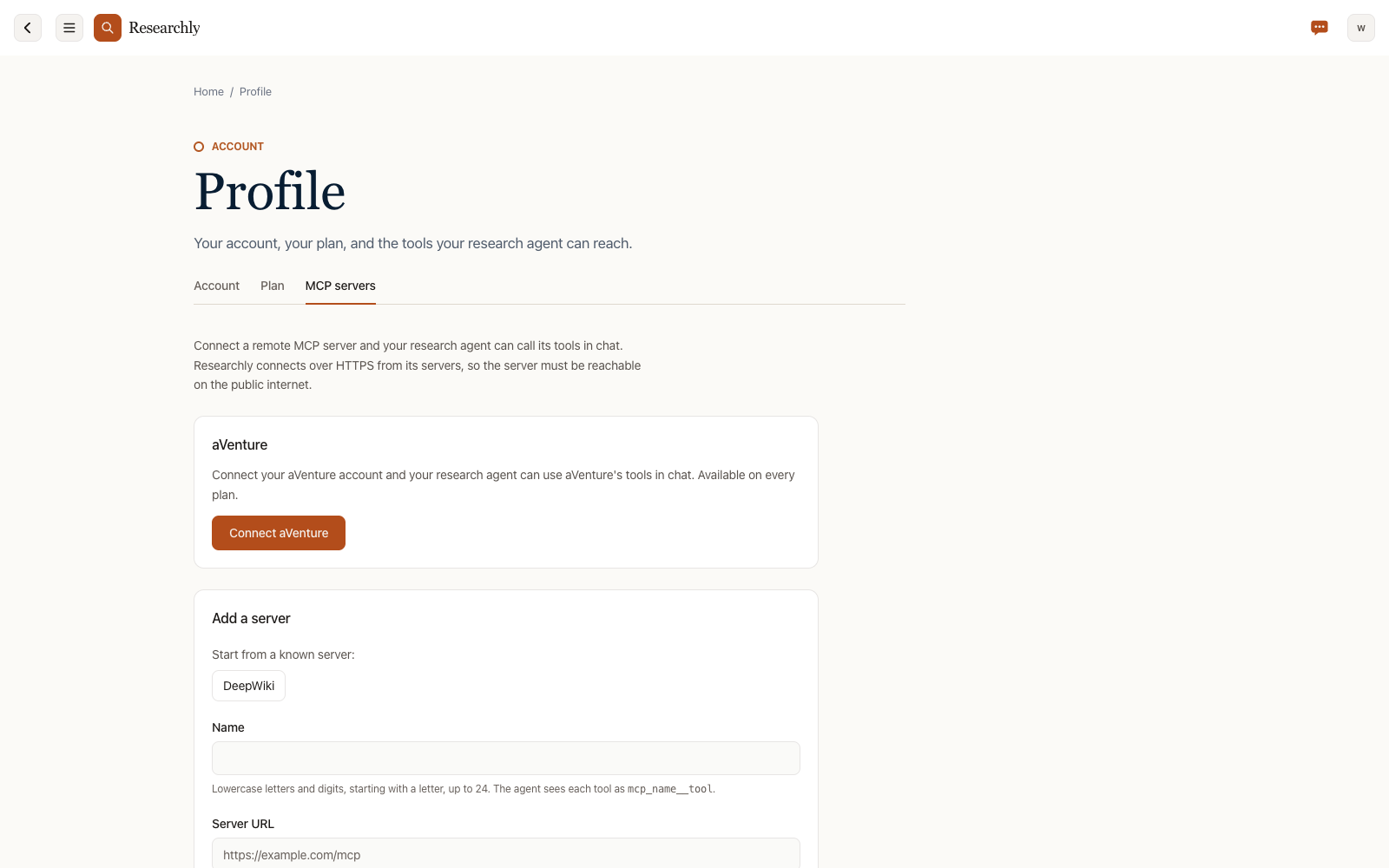
Most servers need nothing more. With "Sign in with OAuth (automatic)" selected, Researchly finds the server's sign-in page and sends you there to approve access. A server that needs no sign-in connects straight away. If a provider gives you an API token instead, choose "Bearer token" and paste it. Researchly encrypts it and never shows it again.
Servers must be reachable over HTTPS on the public internet, because Researchly connects to them from its own servers.
See exactly what a server can do
Each connected server gets its own card. It shows how the server signs in, how many tools it offers, and when Researchly last checked the connection. Open the tool list to read each tool's name and description, the same text your research agent sees.
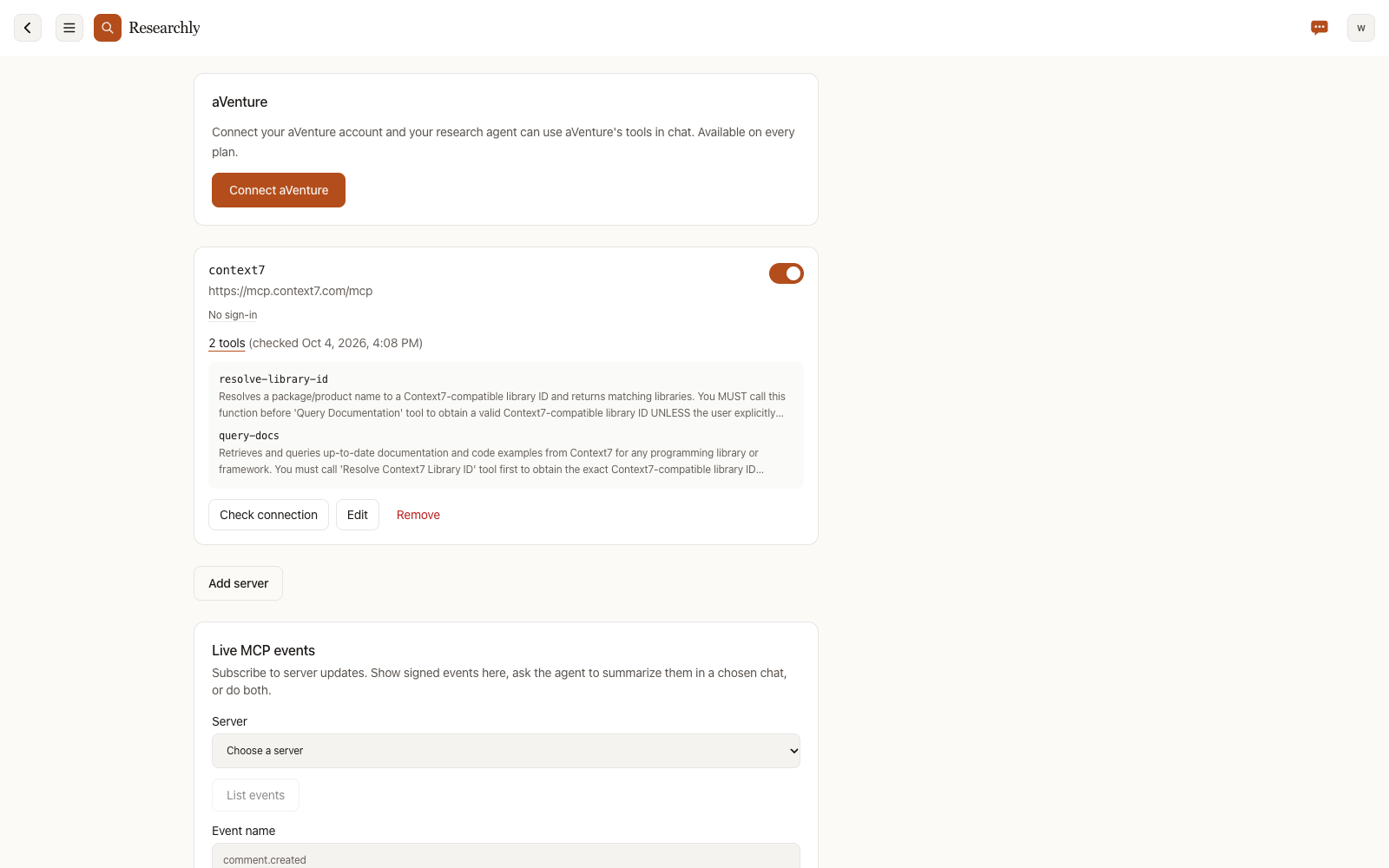
A switch on the card turns a server on or off for chat without removing it. Check connection tests it again on demand. If a sign-in expires, the card says so, chats skip that server, and one click reauthorizes it.
How it shows up in a conversation
You do not need to name the server in your question. Researchly decides when a tool fits, the same way it decides when to search the web. While a tool runs, the progress line reads "Using" and the server's name. Afterward, each call stays in the answer as a card showing the server, the tool, what was asked, and a Result you can expand.
The image at the top of this post shows a real turn. Asked how to write a Svelte 5 component, the agent called Context7's two documentation tools, then wrote its answer from what they returned. Every call stays visible, like every web source does.
More than tools
MCP is more than a list of tools, and Researchly supports the rest of it too:
- Resources. The agent can read the documents and data a server publishes, including resource templates.
- Prompts. Prompts are run by you, never by the model. Choose "Use an MCP prompt" in the message box, fill in its fields, and insert it into your message.
- Questions from the server. When a tool needs more from you, its form appears inline in the chat with Send, Decline, and Cancel buttons.
- Model requests from the server. A tool can ask Researchly's model for a short text answer while it works.
- Live events. Subscribe to a server's events and choose what happens when one arrives: show it in a live feed, start an agent turn in a chat you pick, or both.
aVenture comes connected
Researchly has a ready-made connection to aVenture, the private-company research database. Click Connect aVenture to link your account, and your research agent can use aVenture's company, investor, and funding tools in chat. That connection is available on every plan.
Adding your own servers is included with the Plus and Pro plans, with up to ten servers per account. If you change plans, your saved servers stay and reconnect when you upgrade again.
You can also ask Researchly in chat to add, change, or remove a server. It drafts the change for you to review, and nothing changes until you confirm it on the MCP servers tab.

