Ask any model with an @ mention
The message box in Researchly learned a new trick. Type @ and a list of models appears, right where you are typing. Pick one, finish your message, and send it, and that one message will be answered by the model you chose instead of your usual one. The reply lands in the same conversation, with the same kind of cited sources you already rely on. Your chat does not change models. Your history does not move. One message simply takes a detour.
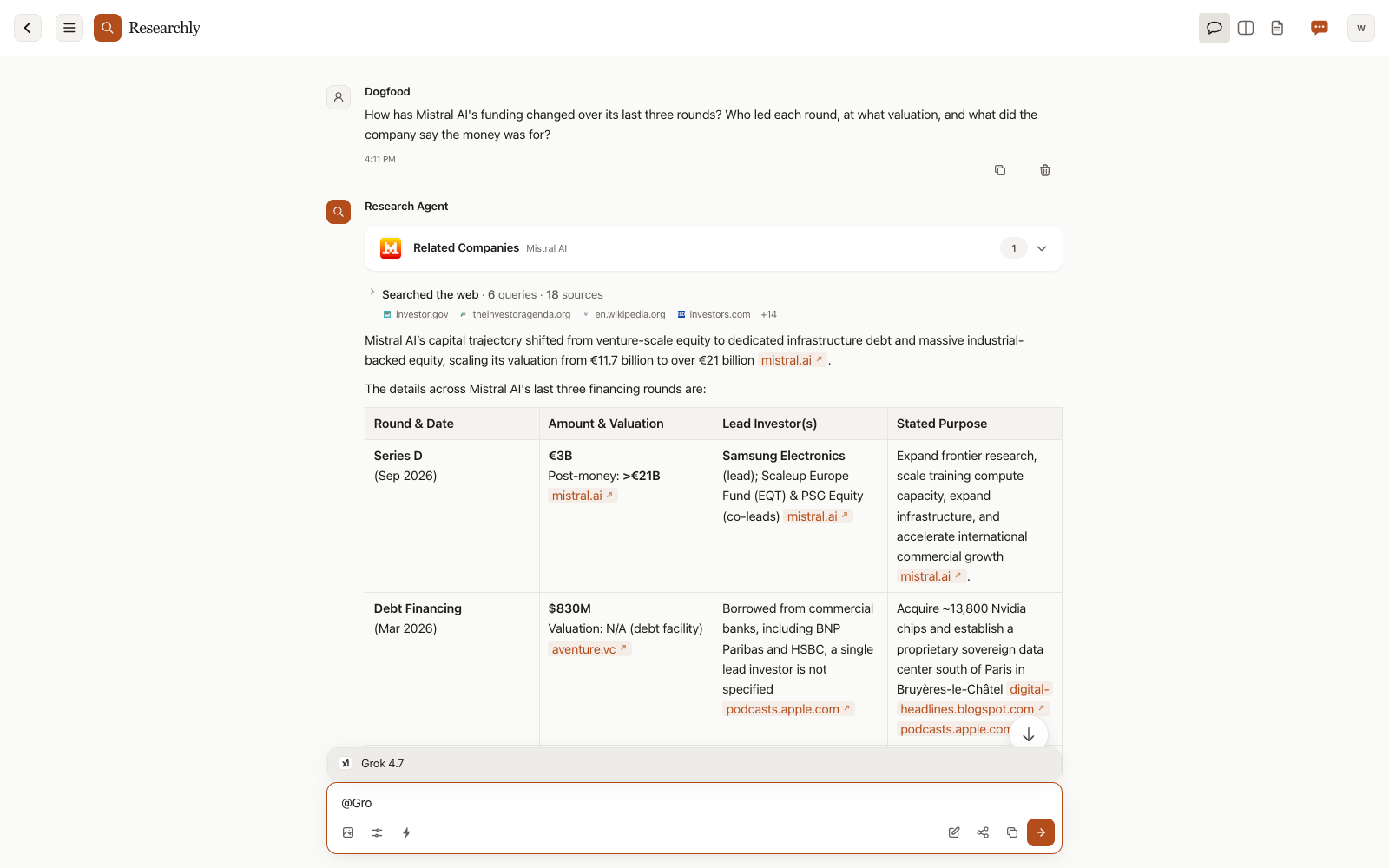
The same idea Ensemble rooms have had
If you have used Ensemble, the multi-model room product that shares its foundations with Researchly, this will feel familiar. Ensemble has long let you type @ followed by a model name to direct a message to that one model in a room. Researchly now has the same ability in a regular chat, no room required.
The mention applies to a single message. The rest of the conversation keeps your usual model, and the next message you send without an @ goes back to it. There is nothing to undo afterward.
The models you can mention are the ones on Researchly's model list. That currently includes names like Gemini 3.8 Flash, GPT-6 Sol, Grok 4.7, Nemotron 3 Ultra, and Muse Spark 1.3, among others.
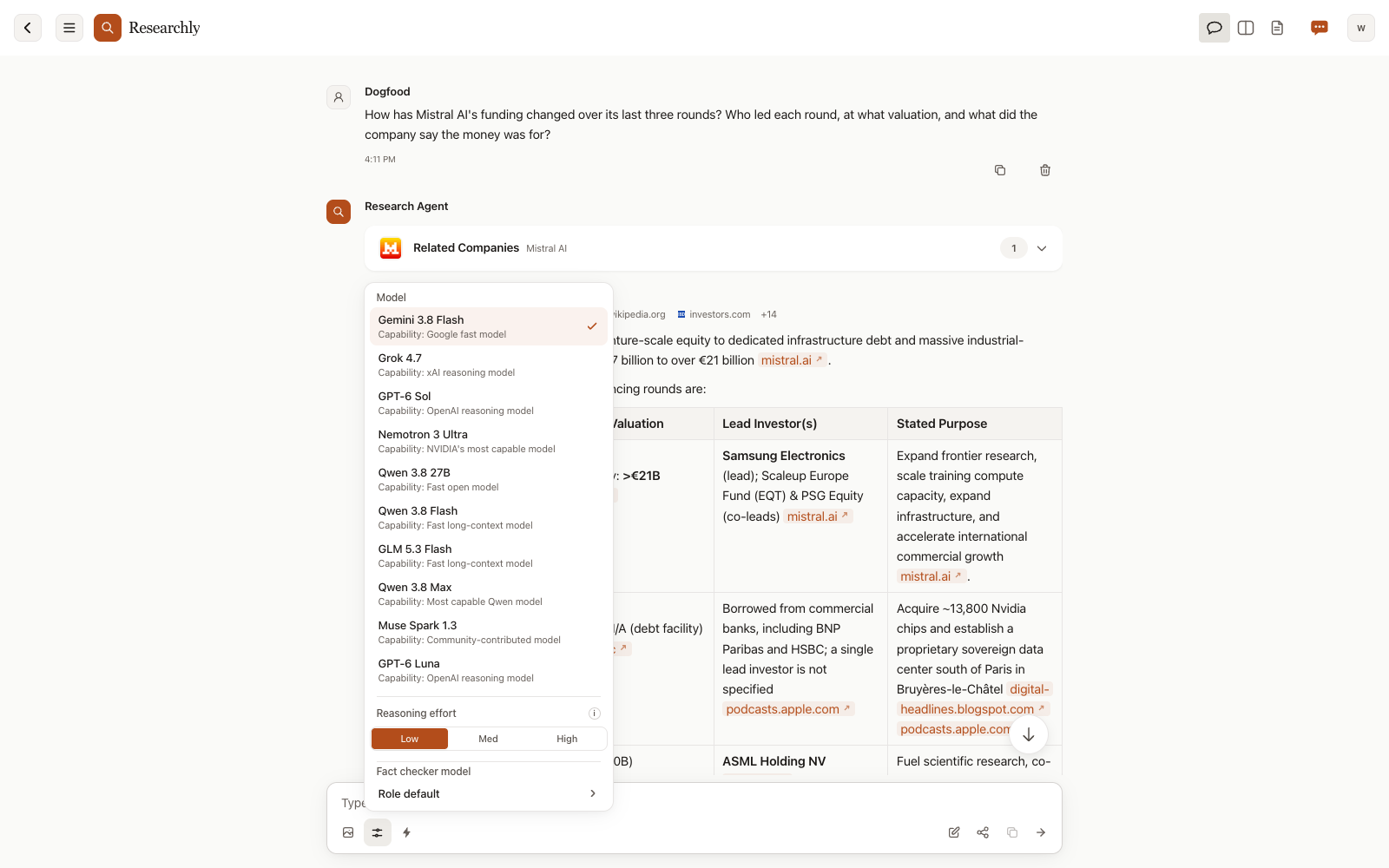
Every model works from the same material
A mentioned model does not start from a blank page. It sees the same conversation history, the same research tools, and the same citations as your usual model. It can search the web and read pages exactly as your usual model does, and it can see the sources that earlier answers cited. A second opinion from another model is grounded in the material you have already gathered, not in a fresh guess.
What this looks like in practice
Say you have asked your usual model, Gemini 3.8 Flash, how Mistral AI's funding changed over its last three rounds. The answer comes back as a table: each round, its lead investor, its valuation, and what the money was for, each cell with its source. You want a second opinion on the Series C row without leaving the chat or starting over somewhere else.
You type @, pick Grok 4.7, and ask it to double-check the Series C date and lead investor against the sources already cited. Grok rereads the cited pages, checks independent reporting, and confirms both: the round was announced on September 9, 2025, with ASML as lead. It also explains the one mismatch it found. A report published before the close quoted a pre-money figure, not the final post-money valuation. Its reply carries Grok 4.7's name, because a chat with replies from more than one model labels each reply with the name of the model that wrote it. That is the exchange shown at the top of this post.
Your next message, sent without an @, goes back to your usual model, and its replies now carry its name as a label too. Scrolling back through the chat, you can tell at a glance which model said what. A chat that only ever had one model has no labels at all.
When it earns its keep
Most of the time your usual model is the right one for the job. The mention is for the exceptions. You want a second opinion on one specific answer without leaving the chat or explaining the context again. You want to compare how two models read the same sources, knowing both had access to identical material. Or you want a faster model for a quick follow-up and a stronger one for the question you have been stuck on. The conversation stays in one place either way.
On by default
The feature is on from the start, so typing @ in the message box brings up the list whenever you want it. If you would rather not see it, open the settings menu from the icon at the top right and switch "@ Mentions" off. The choice is remembered on that device, alongside your other settings.
Your usual model still carries the conversation. Now, when one answer deserves a second look, the second look can happen right where the question was asked.

